Shipping
Shipping packaging machine: where the label comes from, how it gets on the parcel
In parcel packing most of the time is lost on the label, not the bag: finding the right slip, printing it, sticking it on the right parcel. This page explains how the machine gets the label, which carriers it works with and how it connects to your system.
Short answer
A shipping packaging machine takes the carrier label your marketplace, ERP or carrier integrator already generated (PDF or ZPL) when the order barcode is scanned, prints it on an industrial thermal printer and applies it to the parcel. The Paketör PK-220 prints any standard 100×150 mm (4×6 in) label; no separate data entry is needed.
The label's journey: from scan to parcel
- When the order arrives from the marketplace or ERP, its shipping label already exists (PDF or ZPL).
- The operator scans the order barcode. The onboard Windows PC finds that order's label and sends it to the printer.
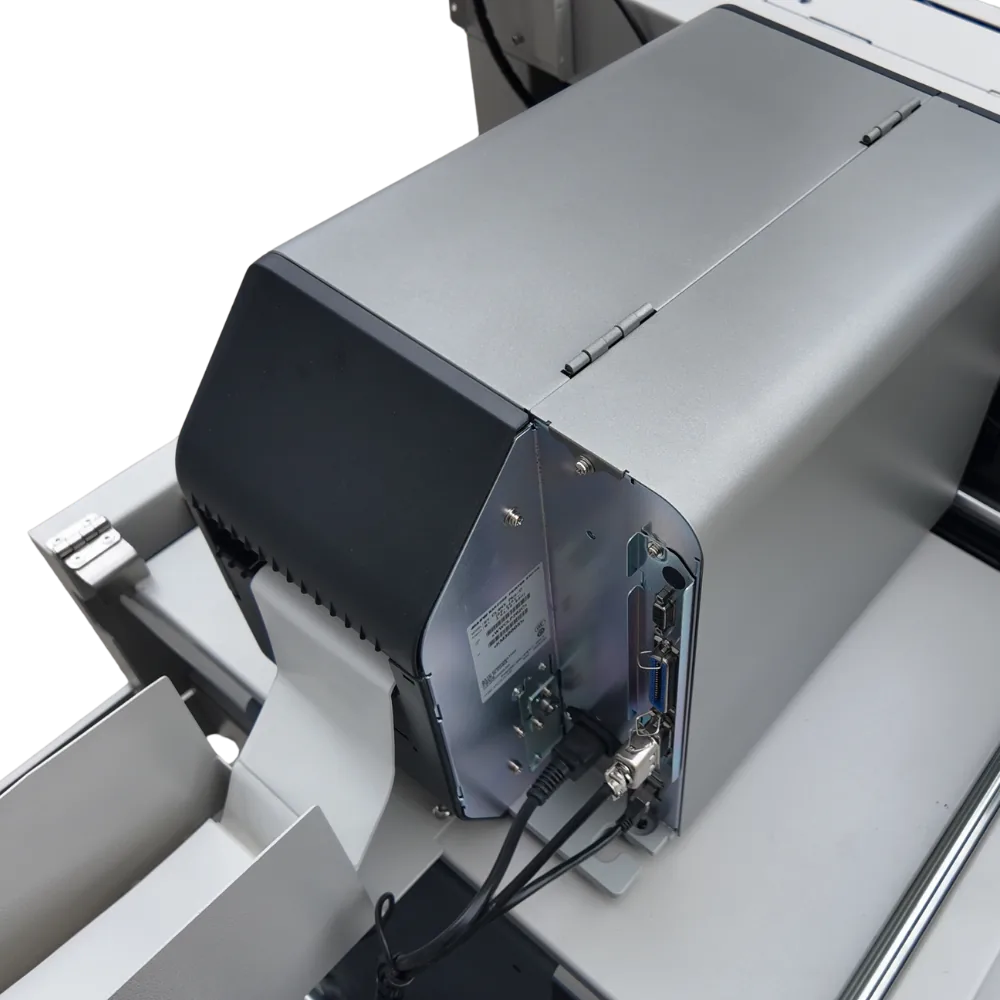
- While the item is bagged and sealed, the SATO CL4NX prints the label; the machine applies it to the parcel.
- The parcel exits onto the conveyor. Optionally the order status is pushed to "shipped" in your panel.
The key point: the machine does not create labels, it prints the ones your system creates. Your carrier contracts, barcode formats and integrator stay as they are.
Carriers and labels
As long as the label is a standard 100×150 mm (4×6 in) thermal label, the carrier does not matter: DHL, UPS, FedEx, national postal services, marketplace couriers and integrator labels all print the same way. When a carrier changes its template you do nothing; the machine prints whatever file arrives.
Three ways to connect
Marketplace or e-commerce panel
Shopify, Amazon, WooCommerce and regional marketplaces export the label as PDF. The onboard PC matches the file to the order number and prints it.
ERP / WMS
ERP and warehouse systems export ZPL or PDF. Connected by folder watching or printer sharing; no custom software.
Carrier integrator
If you ship with several carriers through an integrator, its label goes to the machine the same way.
We settle the right path in a call before the demo and print the first label together at installation.
Why an industrial printer?
Desktop label printers are built for a few hundred labels a day. At 600-900 parcels an hour the head overheats, labels drift and rolls run out constantly. The SATO CL4NX is an industrial-class printer: large roll capacity, metal chassis, built for 24/7 shifts. It accepts ZPL, so Zebra templates work unchanged.
Organising the exit
Parcels leave the conveyor at one point. Warehouses using several carriers sort by the label; at high volume a second conveyor or carrier-based sorting is planned during installation. Full specifications are on the PK-220 product page.
FAQ
Most asked about this topic
Which carriers does it work with?
Any carrier using a standard 100×150 mm thermal label: DHL, UPS, FedEx, national post, marketplace couriers and integrator labels.
Can it print marketplace courier labels?
Yes. The label downloaded from the marketplace panel is matched to the order barcode and printed on the machine.
Can we use a Zebra printer?
The machine ships with a SATO CL4NX, which accepts ZPL, so existing Zebra templates work. A different printer can be discussed before installation.
Can a label end up on the wrong parcel?
The label is printed only for the scanned order and applied to the parcel in the machine at that moment. There is no manual matching, so the bench-style mix-up cannot happen.
Quote and demo
Tell us your daily order volume; we quote the same day.
Pack your own products on the machine in Konya for an hour, or join a live video demo, and measure speed and seal quality yourself. Phone / WhatsApp: +90 332 606 22 65